 SCALERP

Products and services
Import products and use barcodes
Prepare catalog references for search, import and labels.
Prepare an import
Download the template from the product import screen. Respect its columns and check the units, variants and references before sending the file. Start with a small, verifiable batch.
Avoid ambiguous references
Use a consistent code for each reference sold. Two different variants must remain identifiable when searching or scanning, even if their commercial designation is similar.
- SKU SKU-07
- Quantity 12
- Scan check SKU-07
Check labels
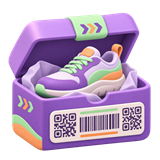
Choose products and check labels before printing. Test their reading with point-of-sale equipment before launching a large print run.
Why test a small file before a full import?
A small batch allows you to check correspondences of columns, units, variants and prices. Check the files obtained and their search in the catalog before importing the rest. Keep the file used to trace the origin of an unexpected value.
What to do if a barcode does not find the right item?
Compare the code read to the reference of the expected form and variant. Check that another part number is not using the same code, then test for a readable label. Check the product displayed in the basket before cashing out.